On this page
Businesses that operate vehicles often begin with a simple requirement: knowing where their vehicles are.
As operations grow, they may need more than location data. They may need to understand vehicle utilisation, operating conditions, driver-related events, maintenance requirements, delivery performance and exceptions across their fleet. This is where the distinction between fleet telematics and fleet management becomes important.
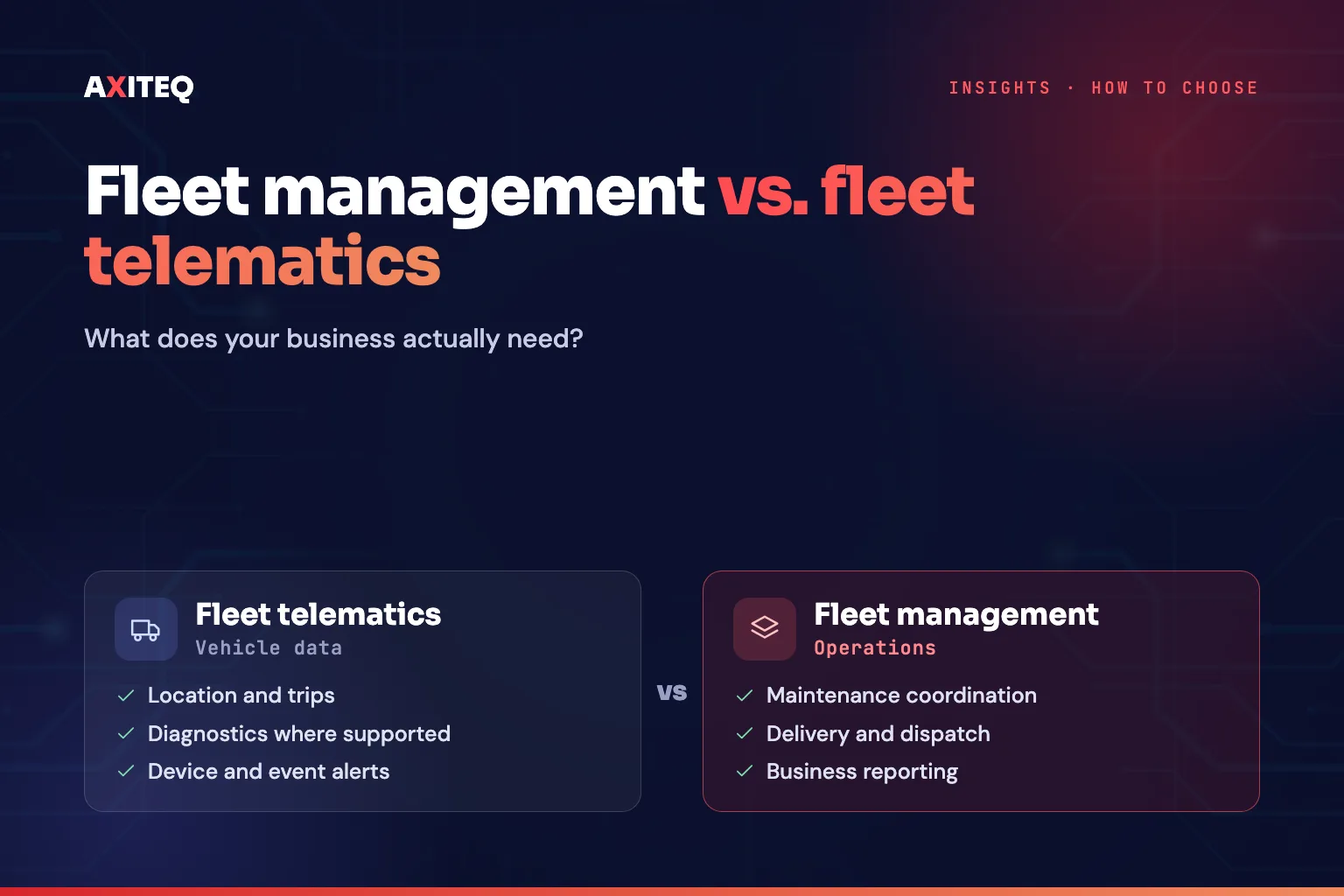
01Telematics provides data; fleet management puts it to work
Fleet telematics
Provides data from vehicles and connected devices.
Fleet management
Uses that information, alongside operational processes and other data, to help coordinate and manage fleet activities.
Understanding the difference helps businesses avoid choosing a system that collects data but does not support the decisions their teams need to make.
02What is fleet telematics?
Fleet telematics combines vehicle-related data collection with communication technologies to transmit information to a monitoring or management system. Depending on the vehicle, device and service, telematics data may include:
A tracking device or vehicle interface collects the relevant data and transmits it through an available network. A platform then presents the information through maps, dashboards, reports or alerts.
The available information varies considerably. A basic GPS tracker may provide location and movement, while a more advanced installation may expose additional vehicle data. Confirm what the proposed hardware and vehicle interfaces can actually supply.
03What is fleet management software?
Fleet management software supports the broader work involved in operating a fleet. Its scope may include vehicle visibility, maintenance coordination, utilisation reporting, driver or delivery workflows, compliance records and operational planning.
Some platforms focus primarily on telematics. Others integrate data from telematics devices with work orders, schedules, business systems and management processes.
The distinction is not absolute: many modern products combine both capabilities. The important question is whether the system supports the operational activities your business needs to manage.
04Fleet telematics vs. fleet management
Swipe to compare
| Capability | Fleet telematics | Broader fleet management |
|---|---|---|
| Vehicle location | Common | Common |
| Movement and trip history | Common | Common |
| Vehicle diagnostics | Depends on hardware | Depends on integration |
| Maintenance coordination | May be limited | May include workflows |
| Delivery and dispatch workflows | Not necessarily included | May be included |
| Fleet utilisation reporting | Often available | Often available with broader context |
| Work orders and task ownership | May require integration | May be supported |
| Business-system integration | Varies | Often important |
| Operational performance reporting | Device-data focused | Can combine fleet and business data |
These are general distinctions. Actual capabilities depend on the product, installed hardware, integrations and subscription.
05When is telematics enough?
Telematics may be sufficient when the main objective is to:
- Locate vehicles and review their journeys
- Understand basic vehicle movement and utilisation
- Receive selected vehicle or device alerts
- View available diagnostics
- Establish visibility over a small or straightforward fleet
A company may initially need to confirm where its service vehicles are during working hours. A suitable tracking solution may meet that requirement without a large operational platform. As requirements expand, the company should reassess whether location and telemetry alone can support the additional workflows.
06When do you need broader fleet management?
A broader fleet management solution may be appropriate when the business needs to coordinate multiple activities around vehicle data. Examples include:
Maintenance coordination
Vehicle-related events or usage information may help teams plan inspections and maintenance. The platform still needs appropriate maintenance rules, schedules and ownership.
Delivery operations
Fleet information may need to connect with delivery orders, schedules, proof of delivery or customer communications.
Multi-site management
Operations teams may need to compare vehicle activity across branches, regions or business units.
Operational reporting
Managers may want to combine vehicle data with utilisation, service performance, costs or other business measures.
Integrated workflows
Alerts may need to create tasks, notify responsible teams or update existing enterprise systems.
The additional value comes from linking fleet data to the business processes that depend on it.
07How to choose the right fleet solution
- Define the business problem.
Start with the problem, not the feature list. Is the main concern vehicle visibility, inefficient utilisation, maintenance coordination, delivery performance or a lack of consolidated reporting? Different problems require different data and workflows.
- Confirm data availability.
Ask which data comes from GPS, vehicle interfaces, installed sensors, mobile applications or external systems. Confirm hardware compatibility and any additional installation requirements.
- Evaluate the operational workflow.
If a vehicle generates an alert, what happens next? Can the event be assigned, investigated and recorded? If a maintenance action is required, how will it reach the responsible team?
- Review connectivity and coverage.
Vehicles operate across changing network conditions. Consider coverage, roaming, offline data storage, recovery after disconnection and how the platform displays stale or missing information. See what CMP-grade connectivity means for fleets.
- Examine integrations.
If you already use dispatch, maintenance, ERP or customer systems, identify which information needs to move between them. Confirm the available APIs and integration responsibilities.
- Consider security and data access.
Review device identity, user permissions, secure communications, access logs, retention requirements and the handling of location or driver-related data.
- Measure outcomes.
Choose a small set of measures connected to the original problem: fleet visibility, utilisation, time to investigate exceptions, maintenance adherence or delivery workflow completion.
Do not assume that purchasing software automatically improves these measures. The implementation and operating process determine much of the outcome.
08Where FleetOS fits
AXITEQ’s FleetOS is positioned within its connected-fleet product portfolio. When evaluating FleetOS or another solution, assess the actual capabilities against your fleet’s requirements, including available vehicle data, visibility, reporting, workflows and integration needs.
Explore FleetOS, read the FleetOS launch article and see AXITEQ’s services to understand the broader connected-operations approach.
From vehicle data to fleet operations.
For some businesses, tracking and basic telemetry are sufficient. Others need maintenance workflows, delivery coordination, integrations and consolidated operational reporting. The right choice depends on what you need to know, what decisions you need to make and how your teams will act on the information.
 Denver (USA)
 Riyadh (KSA)
 Islamabad (PK)
- Identify your priority use cases
- Confirm the data available from your vehicles
- Define the workflow that should follow each important event
10Frequently asked questions
What is the difference between fleet telematics and fleet management?
Telematics provides data from vehicles and connected devices. Fleet management uses that information, alongside operational processes and other data, to coordinate and manage fleet activities such as maintenance, delivery and reporting.
What data does fleet telematics provide?
Depending on the vehicle, device and service: location and movement, ignition status, distance travelled, fuel or energy data where supported, selected diagnostics, driving events and device connectivity status.
When is telematics enough?
When the main objective is to locate vehicles, review journeys, understand basic utilisation, receive selected alerts and establish visibility over a small or straightforward fleet.
When does a business need broader fleet management?
When vehicle data must drive maintenance coordination, delivery operations, multi-site comparison, operational reporting or integrated workflows with other business systems.
How should we choose a fleet solution?
Start with the business problem, confirm what data your vehicles can supply, test the workflow that follows an alert, and review connectivity, integrations, security and the outcomes you will measure.
11Final thoughts
Fleet telematics provides information about vehicles and their activity. Fleet management builds on that information to support the wider work of operating a fleet.
Compare solutions against three things- What you need to know
- What decisions you need to make
- How your teams will act on the information